
Action dashboard
Today’s prioritiesCollections due, overdue receivables, payments due, approvals pending, disputes and cash-gap indicators — every line links to the next action.
See receivables, payables, approvals and alerts in one place — and what to act on next. NetBalanceIQ works alongside Tally, Zoho Books, QuickBooks, SAP or Excel, so your statutory books stay where they are.
The working layer under every module — access control, audit trails, documents, alerts and imports that make daily finance operations dependable.
Collections due, overdue receivables, payments due, approvals pending, disputes and cash-gap indicators — every line links to the next action.
Owner, finance head, AR, AP, approver, operations, accountant and auditor — each sees the queue that matches their desk.
Who created, updated and approved — what changed, when, and which document supported it.
Due dates, overdue invoices, missed commitments, pending approvals and missing documents — before they become findings.
Filter by customer, vendor, invoice, amount, status, assignee, unit or approval state — across every module.
Start from Excel, CSV, accounting exports or manual entry — no system change required to get operational.
Entity-wise dashboards, consolidated views, branch-level receivables and comparative MIS.
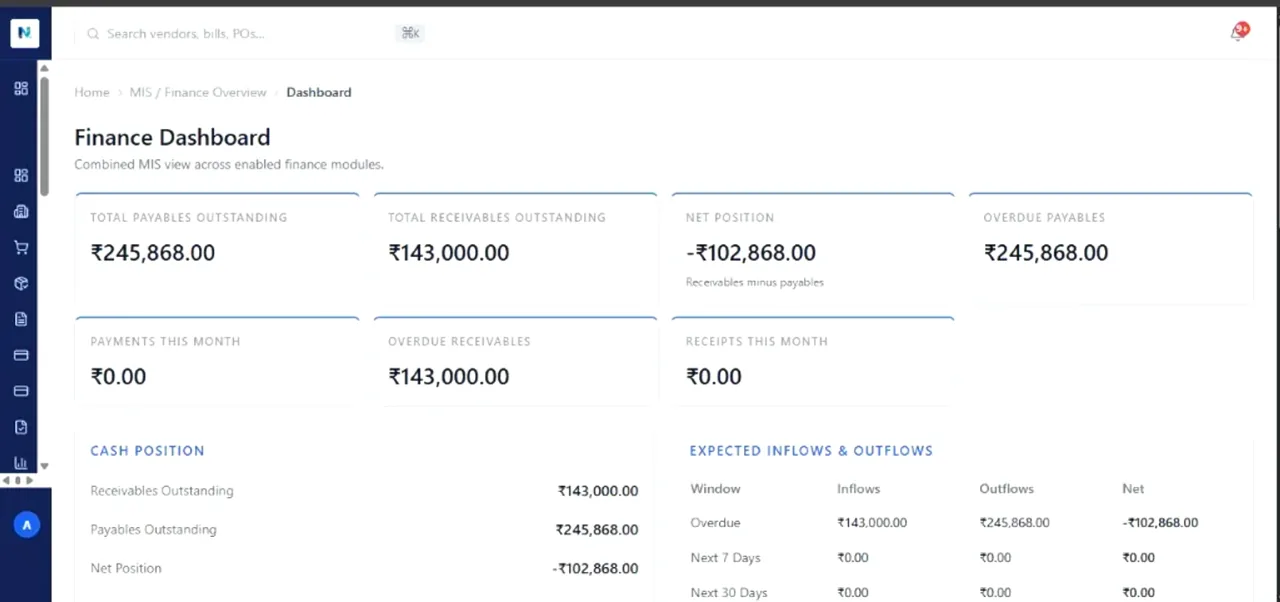
Action-oriented MIS, payables bills, and receivables receipts — today’s priorities with audit trail and attachments where they belong.
Step 01 of 03
/ mis · finance dashboardCollections due, overdue receivables, approvals pending, and cash-gap indicators in one owner view — every line links to the next action.
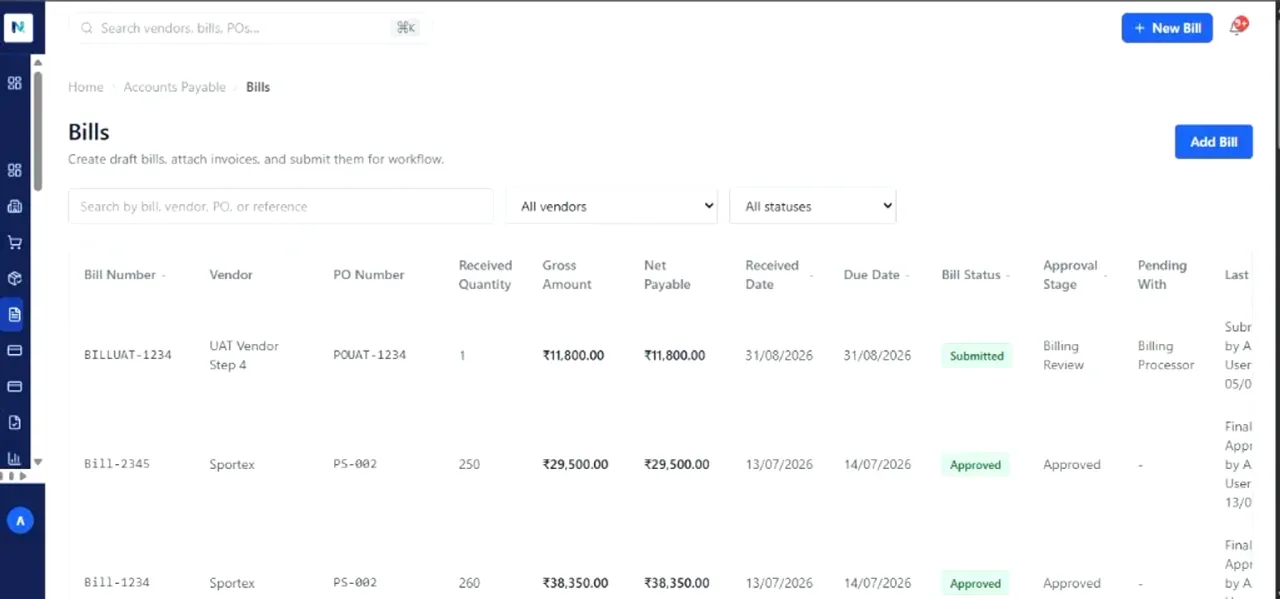
Step 02 of 03
/ accounts payable · billsCreate draft bills, attach invoices, and submit them for approval. Track vendor, amounts, due dates, bill status, approval stage and who it is pending with.
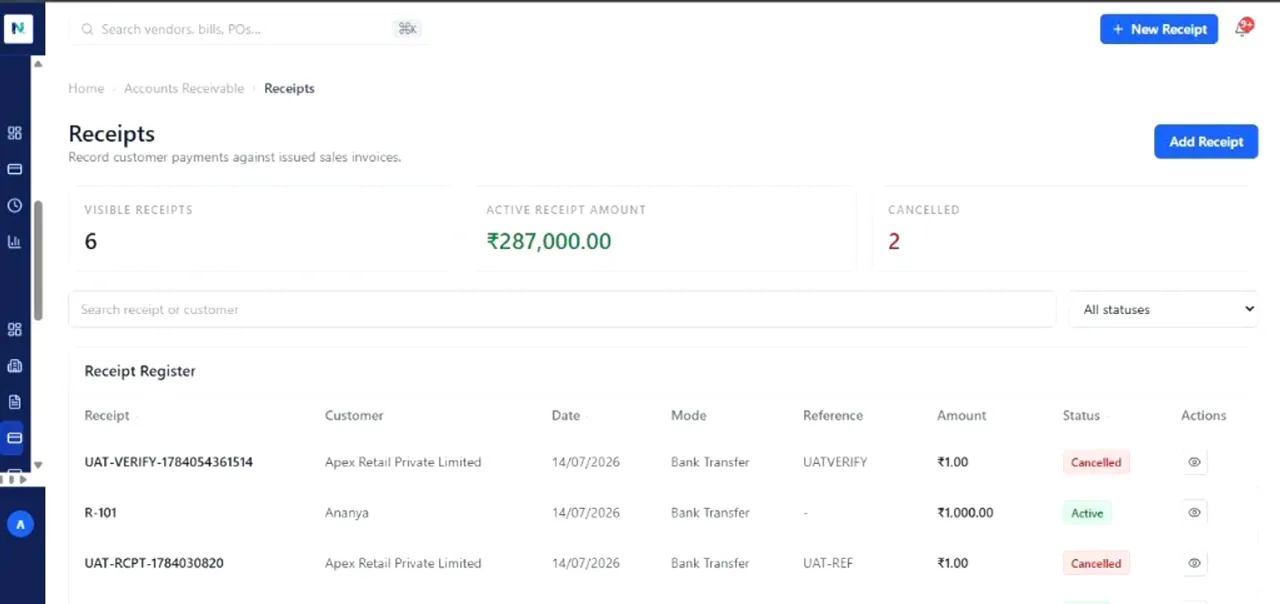
Step 03 of 03
/ accounts receivable · receiptsReceipt register with mode, reference, amount and status — plus visible totals so collections and cancelled items stay honest.