
A shared set of priorities
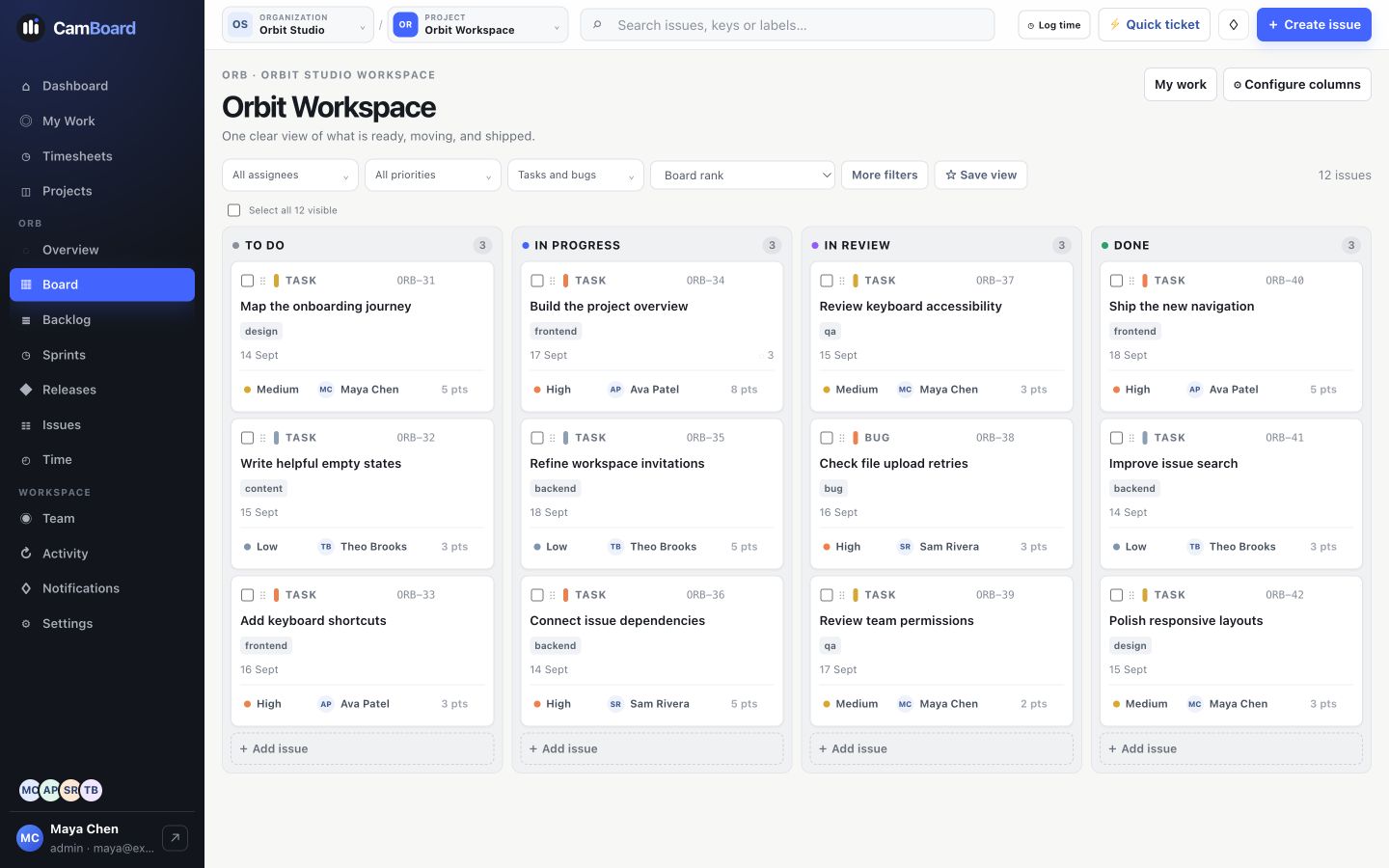
Boards · ownershipSee who owns the work, what’s blocked, and what comes next on a shared project board — ready, moving, and shipped in one view.
Plan projects. Track issues. Keep the conversation close. Cam-Board is a focused workspace for software teams — boards, sprints, discussions, and time connected in one place.
Keep the plan, the conversation, and the progress connected — from shared priorities to sprint delivery and timesheets.
See who owns the work, what’s blocked, and what comes next on a shared project board — ready, moving, and shipped in one view.
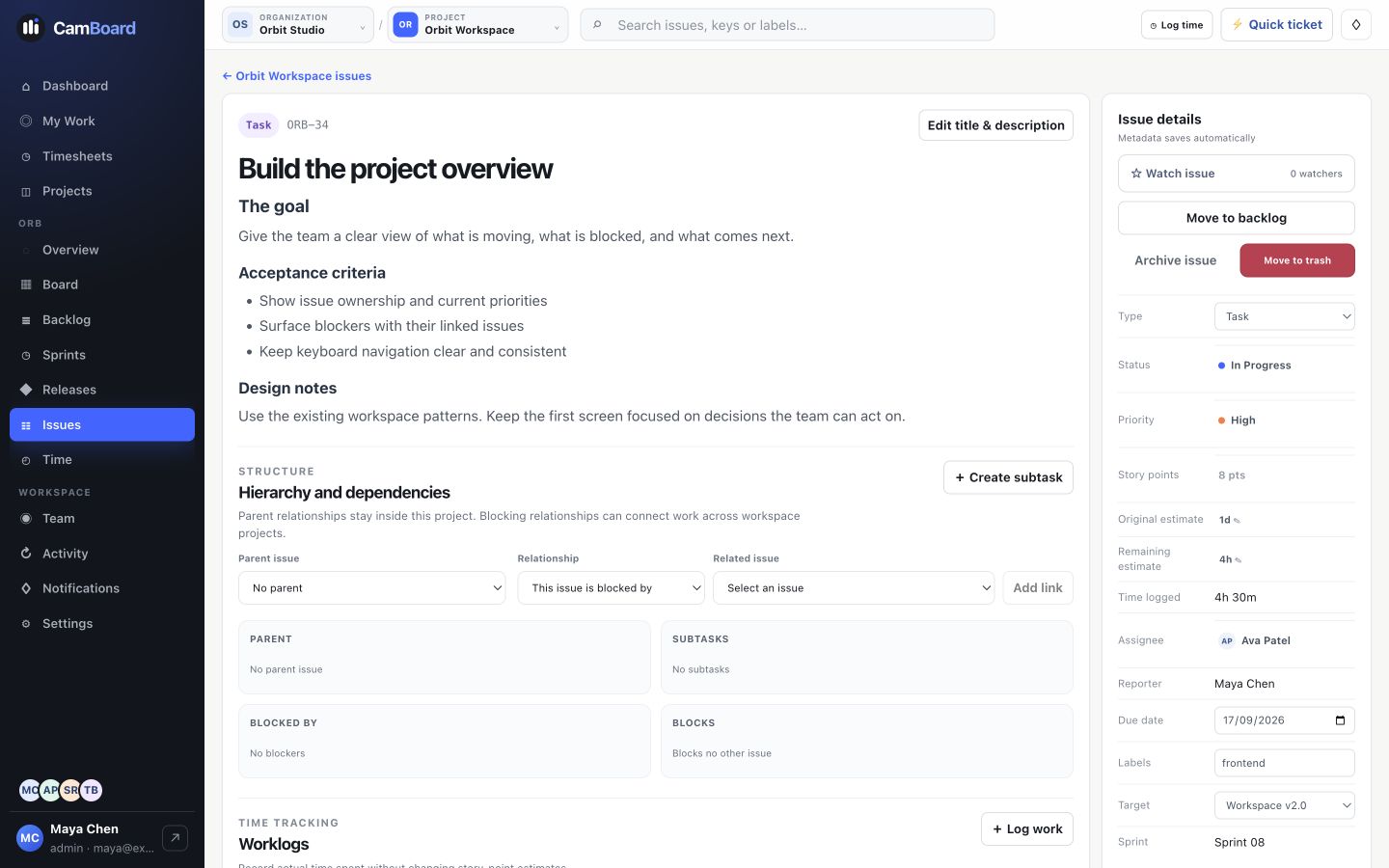
Descriptions, discussions, files, and worklogs stay with the issue — so decisions and feedback don’t get lost across tools.
Connect sprint progress, releases, and time across projects so product, engineering, and QA share the same delivery view.
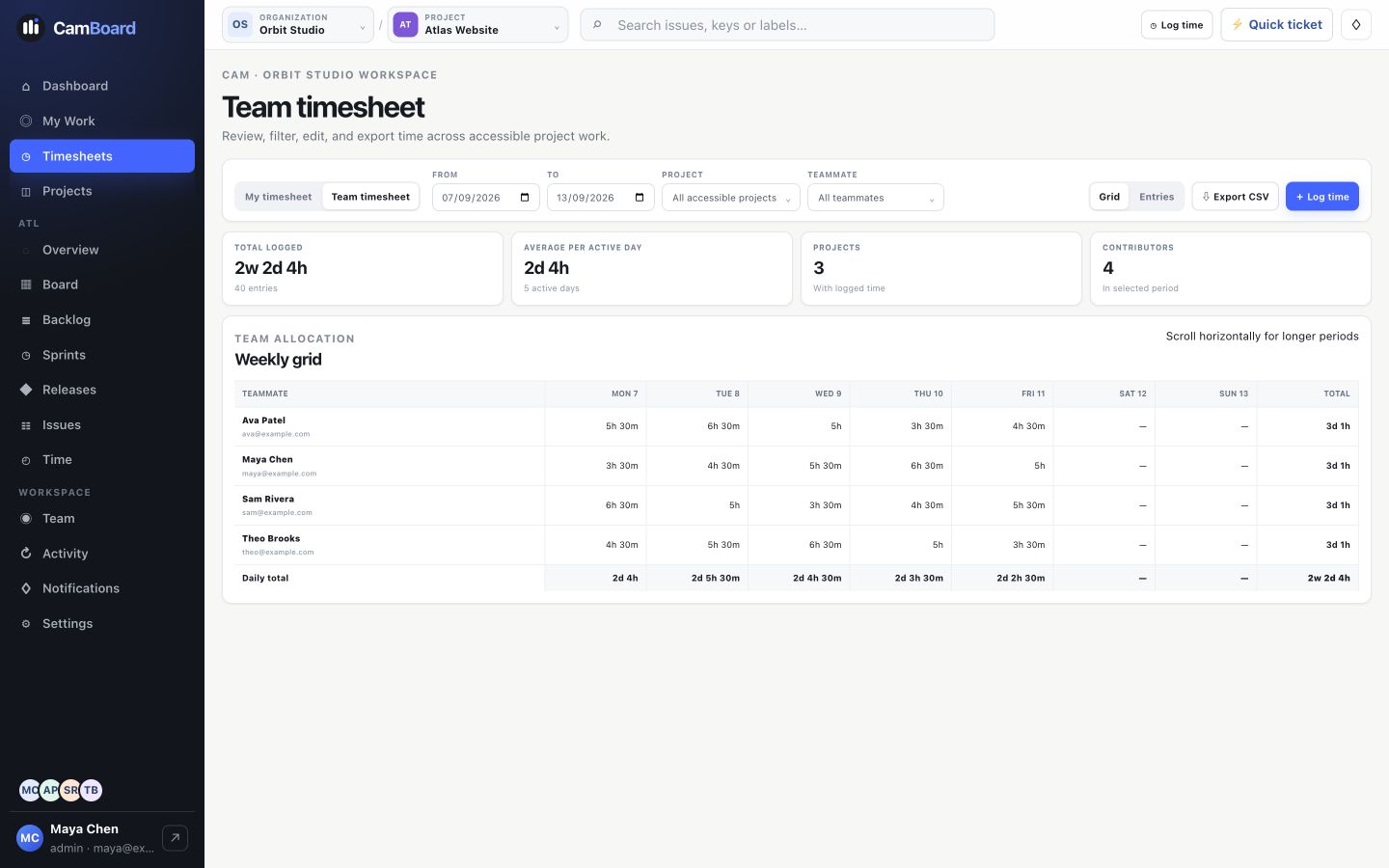
Log time against issues, review personal and team timesheets, and export CSV reports — with the work behind each hour one click away.
Authenticated workspaces, role and project access, private attachments, and an AWS-hosted application for growing software teams.
Product teams plan backlogs and milestones; agencies track project time; engineering and QA keep bugs alongside tasks with files and dependencies.
Screens from the live Cam-Board interface at cam-board.com — project board, issue detail, and team timesheets.
Step 01 of 03
/ board · projectsA shared project board for priorities, ownership, and blockers — so the whole team sees the same delivery picture.
Step 02 of 03
/ issues · contextWhat needs to happen, why it matters, and who’s taking it forward — with decisions, files, and feedback alongside the work.
Step 03 of 03
/ time · timesheetsLog time against issues, review personal and team timesheets, and see where the hours go — with the work behind them one click away.